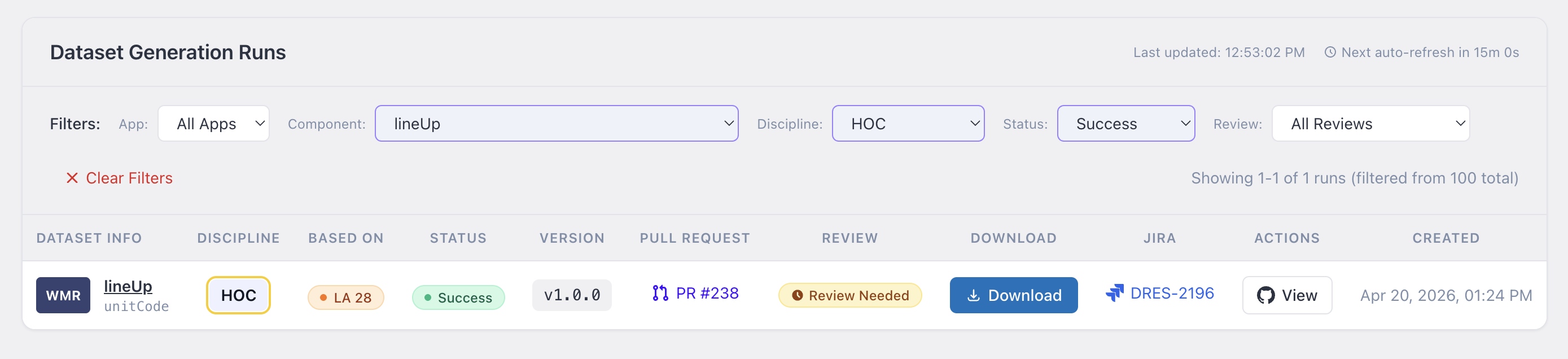
Filtering datasets
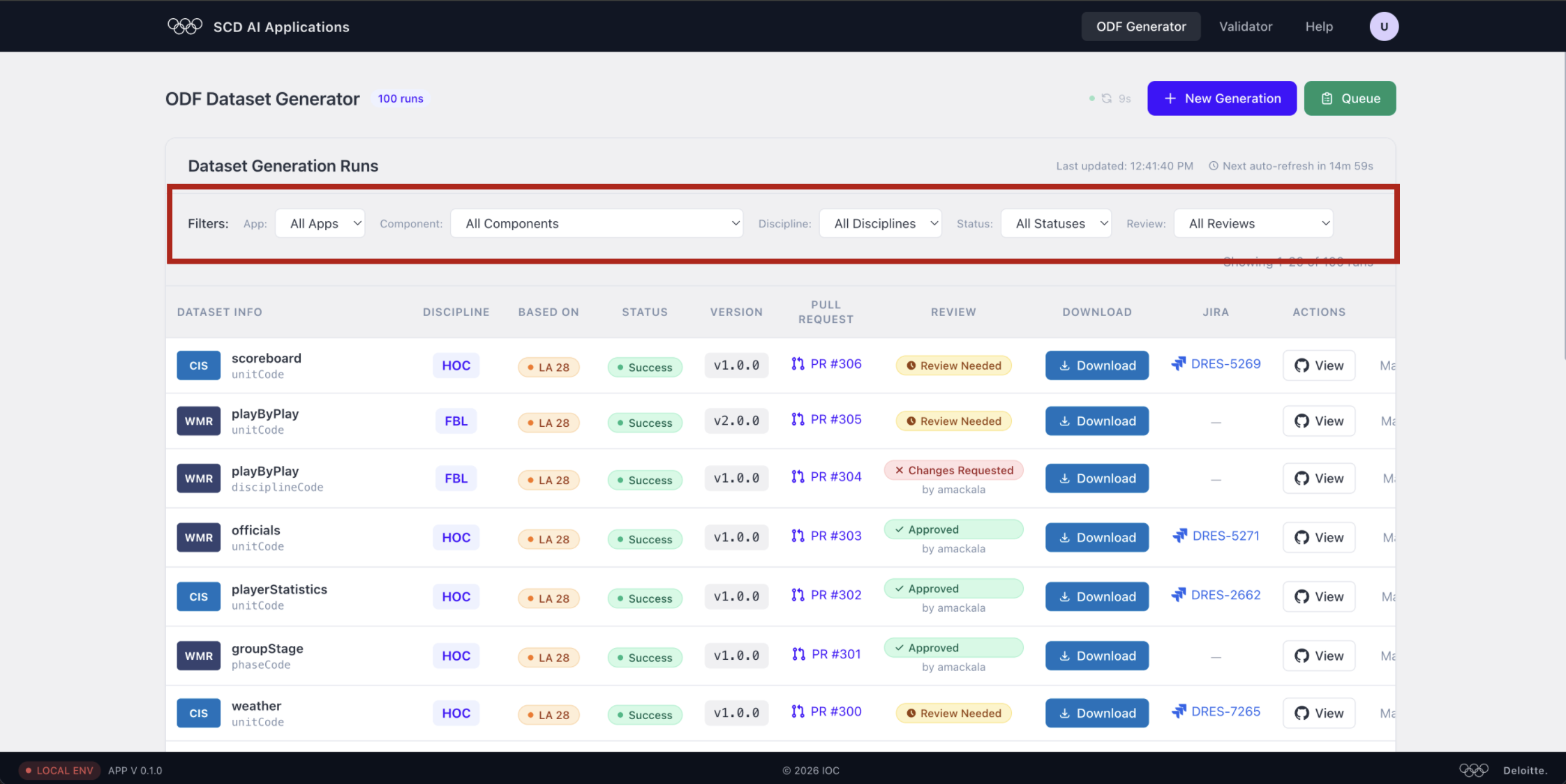
Use the filter bar above the table to narrow down the list:
- App — filter by application (e.g. CIS, WMR)
- Component — filter by component name (e.g. scoreboard, playByPlay)
- Discipline — filter by sport (e.g. HOC, FBL)
- Status — filter by generation result (e.g. Success)
- Review — filter by review state (e.g. Approved, Review Needed)
All filters default to All, showing every run. Combine them to quickly pinpoint the dataset you need.
Sharing a filtered view
Each active filter is saved as a query parameter in the URL. Copy and share the URL with a teammate to give them the exact same filtered view instantly:
https://odf-generator.scd-ai-server.com/odf-generator?component=lineUp&discipline=HOC&status=success