Datasets list
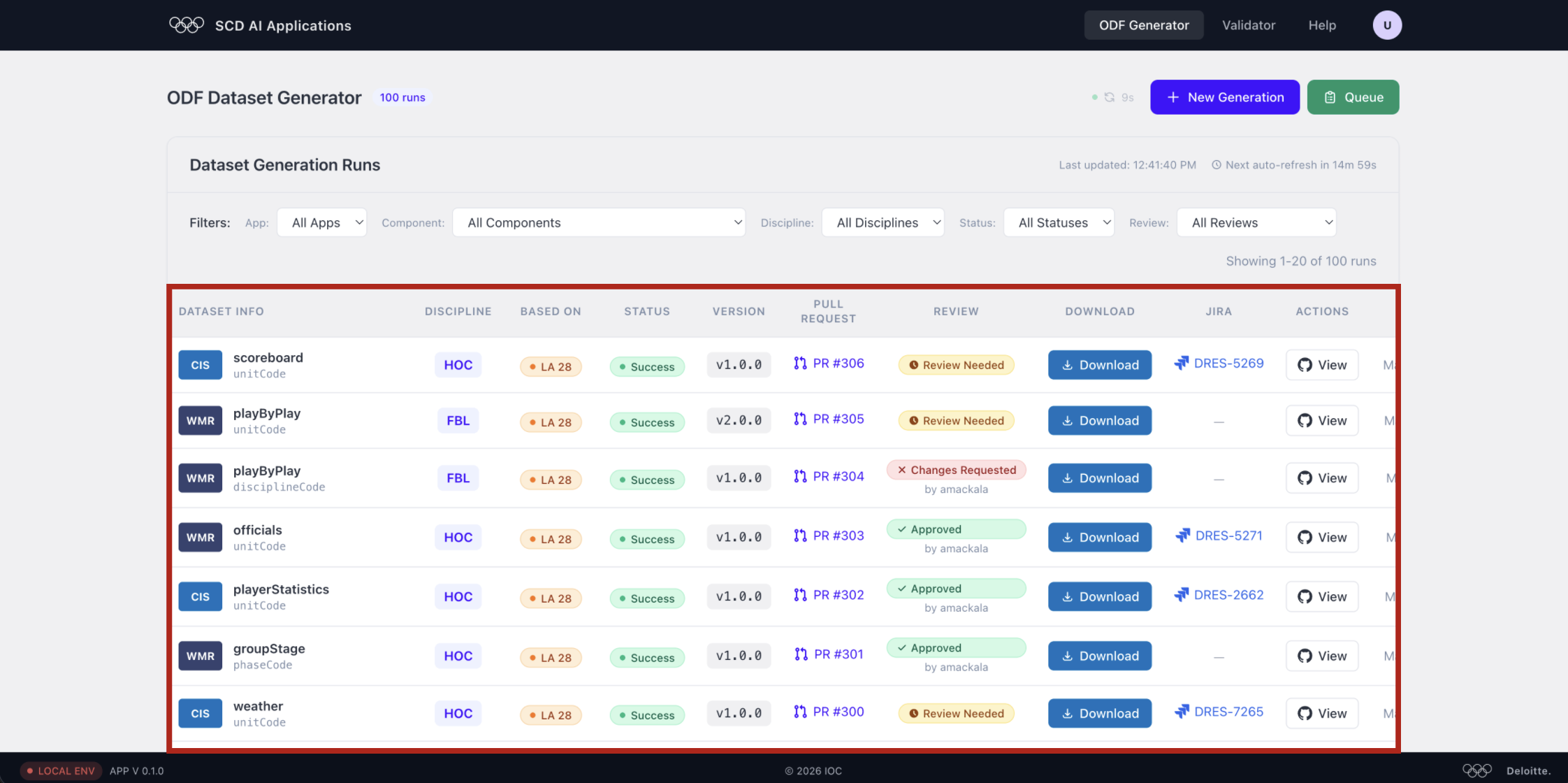
Each row in the table represents one generation run:
| Column | Description |
|---|---|
| Dataset info | Component badge (CIS/WMR), dataset name, and code scope (unitCode, disciplineCode…) |
| Discipline | Sport code (e.g. HOC, FBL) |
| Based on | Base games edition (e.g. LA 28 / Paris 24) |
| Status | Generation result (e.g. Success) |
| Version | Dataset version (e.g. v1.0.0) |
| Pull request | Linked GitHub PR |
| Review | Approval state — Review Needed, Changes Requested, or Approved |
| Download | Click to download the dataset archive |
| Jira | Linked Jira ticket (if any) |
| Actions | View on GitHub |
Find the row matching your dataset name, discipline, and version, then click the blue Download button.
Downloading a dataset
Click the blue Download button in the row matching your dataset to fetch the archive.
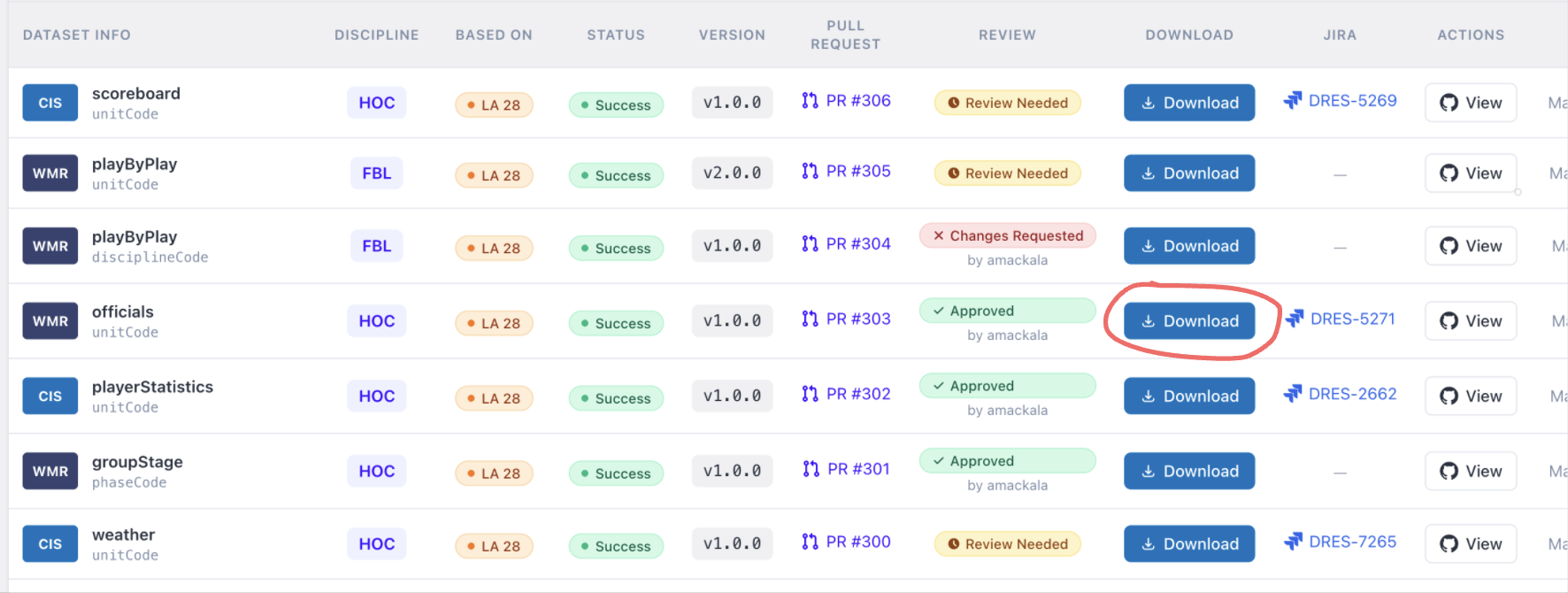
⚠️ Important: always check the Review status before downloading.
Only datasets with Approved status have been reviewed and are considered stable for use. Datasets with Review Needed or Changes Requested may contain bugs, missing data, or incomplete content and should be treated as test-purpose only.