The ODF Generator turns Behaviour Driven Development (BDD) acceptance criteria into a complete, validated set of Olympic Data Feed (ODF) XML messages. It is designed to remove the most repetitive part of producing SCD test datasets: writing dozens of nearly-identical XML files by hand.
What the Generator does for you
- Parses BDD acceptance criteria from a JIRA ticket or pasted text.
- Drafts the ODF XML messages required by each AC, lesson by lesson.
- Validates every field and value against the Data Dictionary and Common Codes through the built-in MCP tooling.
- Packages the verified output into a downloadable ZIP, ready to attach back to the ticket.
When to reach for it
| Task | Generator | Validator |
|---|---|---|
| Producing a new dataset from a BDD spec | yes | no |
| Checking a single XML file you already have | no | yes |
| Updating an existing dataset against a new BDD revision | yes | no |
| Resolving a single ambiguous field | no | yes |
If your input is a spec, you want the Generator. If your input is an existing XML file, the Validator is the right tool.
Reading the pull request
Once the Generator produces a dataset it opens a draft pull request and waits for a human reviewer. The steps below use a real example — FBL | CIS | scoreboard | unitCode v1.2.0 (PR #307).
Step 1 — Find the dataset in the ODF Generator dashboard
Open the ODF Generator and look at the Dataset Generation Runs table. Any run showing Review Needed in the Review column is waiting for you.
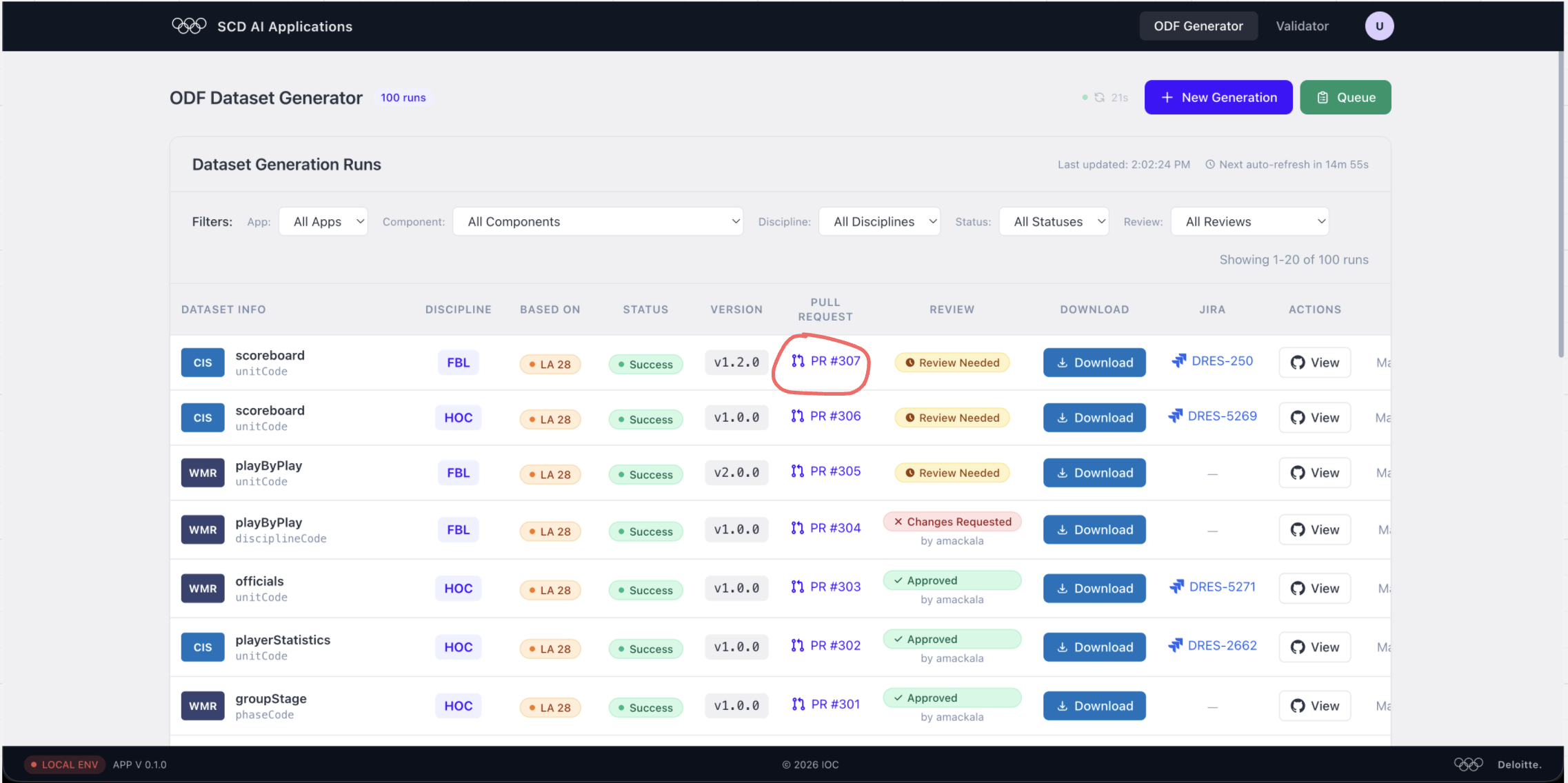
Click the PR #307 link (or the equivalent number in your run) to jump straight to GitHub.
Step 2 — Read the Acceptance Criteria table on the PR
When you land on the conversation tab the github-actions bot has already posted a summary of every AC the dataset covers.
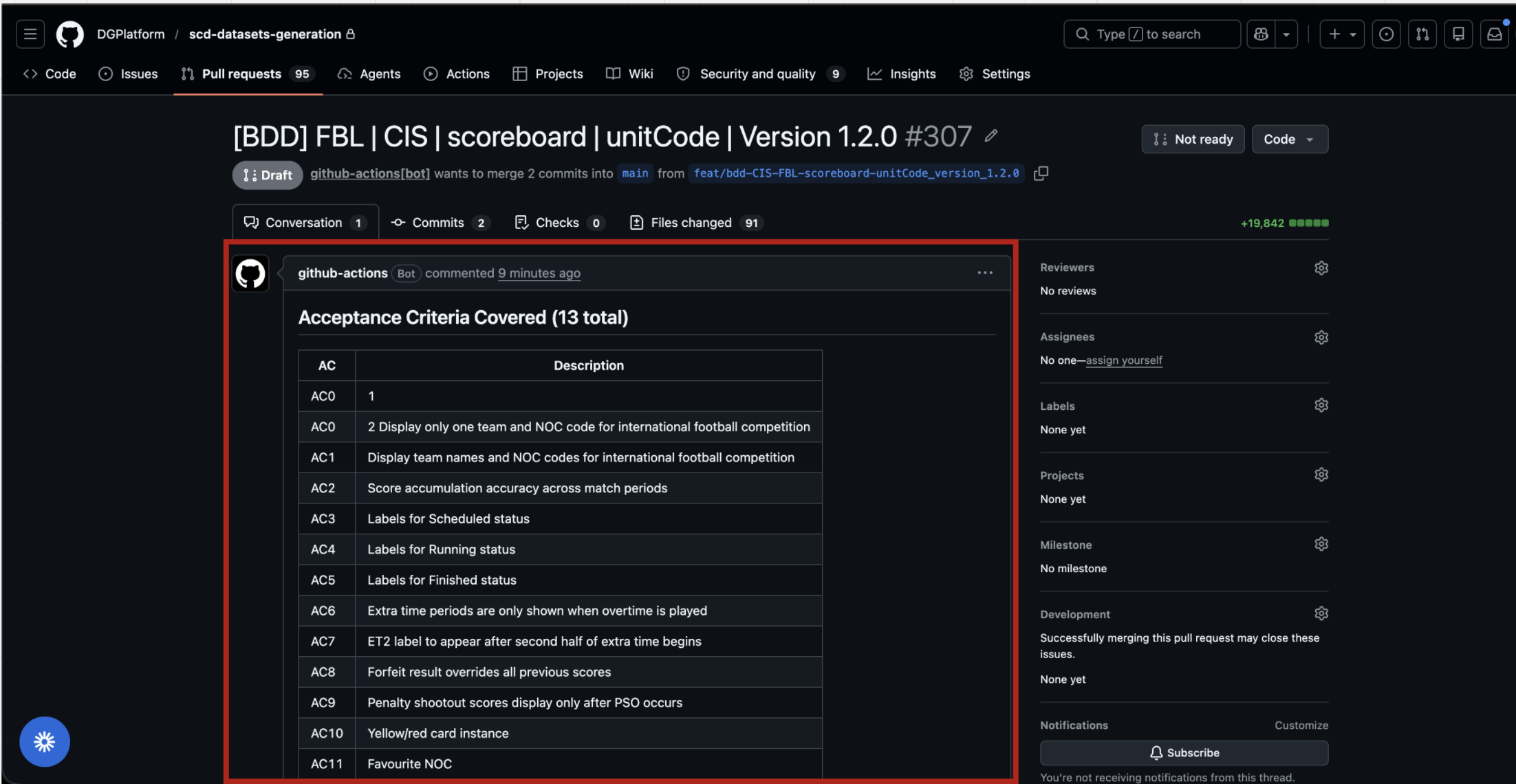
Read every row. Ask yourself:
- Does the AC description match what you know about the component?
- Are there any ACs you expected to see that are missing?
Before diving into files, also note the Files changed count (91 here) so you have a sense of the review scope.
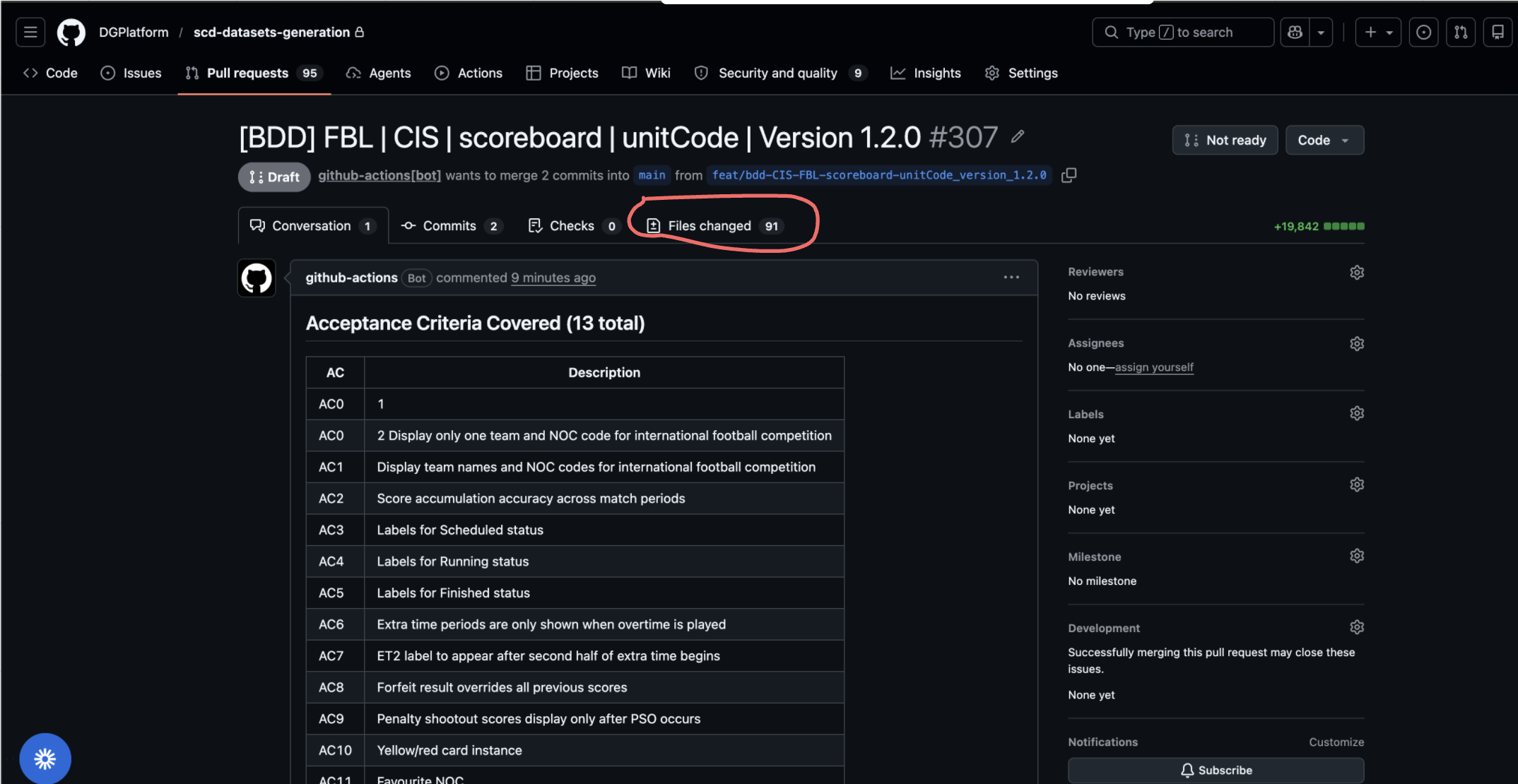
Step 3 — Check the BDD XML Validation report
Still on the Conversation tab, find the BDD XML Validation bot comment.
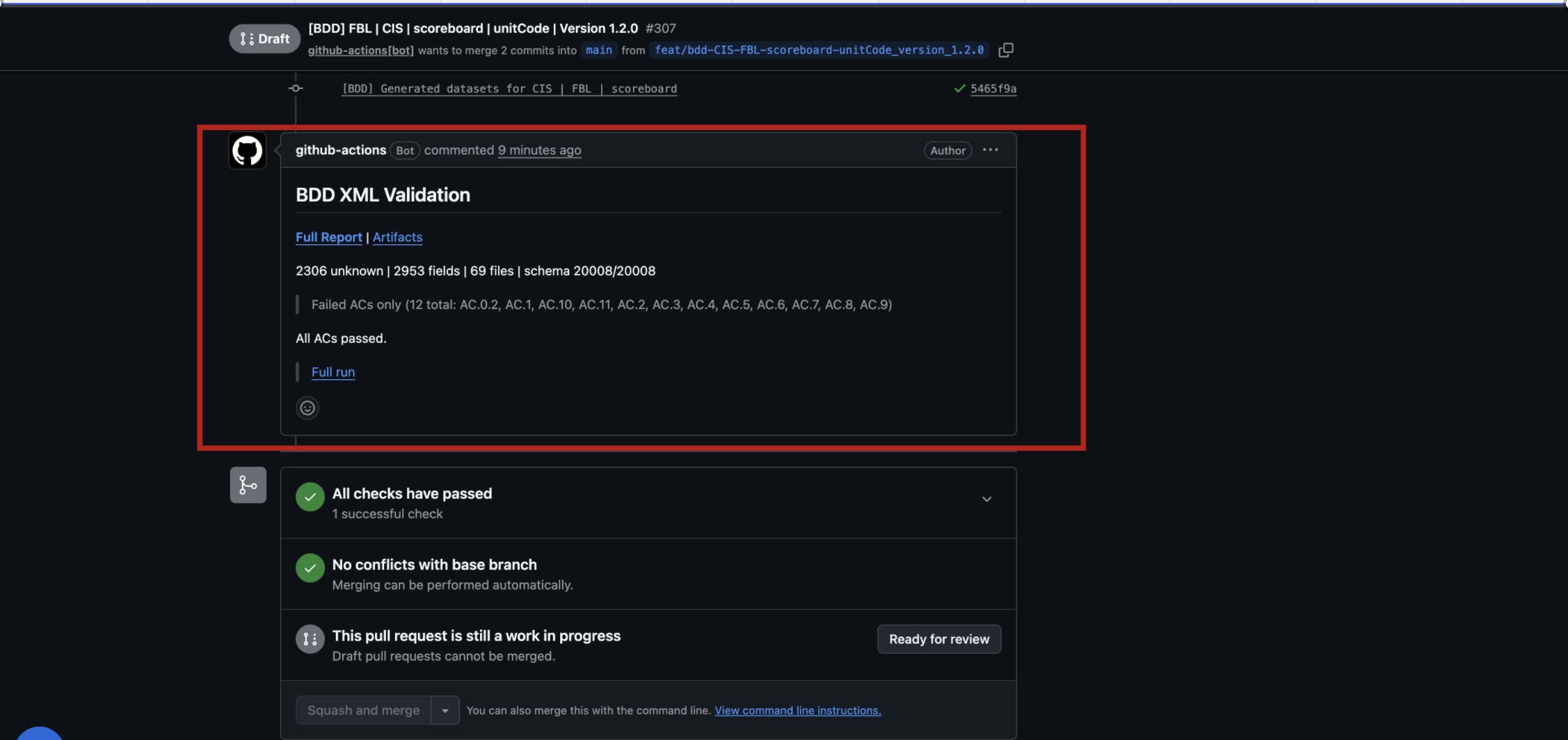
The headline numbers you care about:
| Metric | What it means |
|---|---|
| unknown | XPaths the validator has never seen in real ODF data — investigate every one |
| fields | Total attribute/element values checked |
| files | XML files in the dataset |
| schema | Files that passed XSD validation (should equal total files) |
The Full Report link opens the GitHub Actions run. Click it, then expand the Summary to see the per-file breakdown and the Unknown XPaths tables.
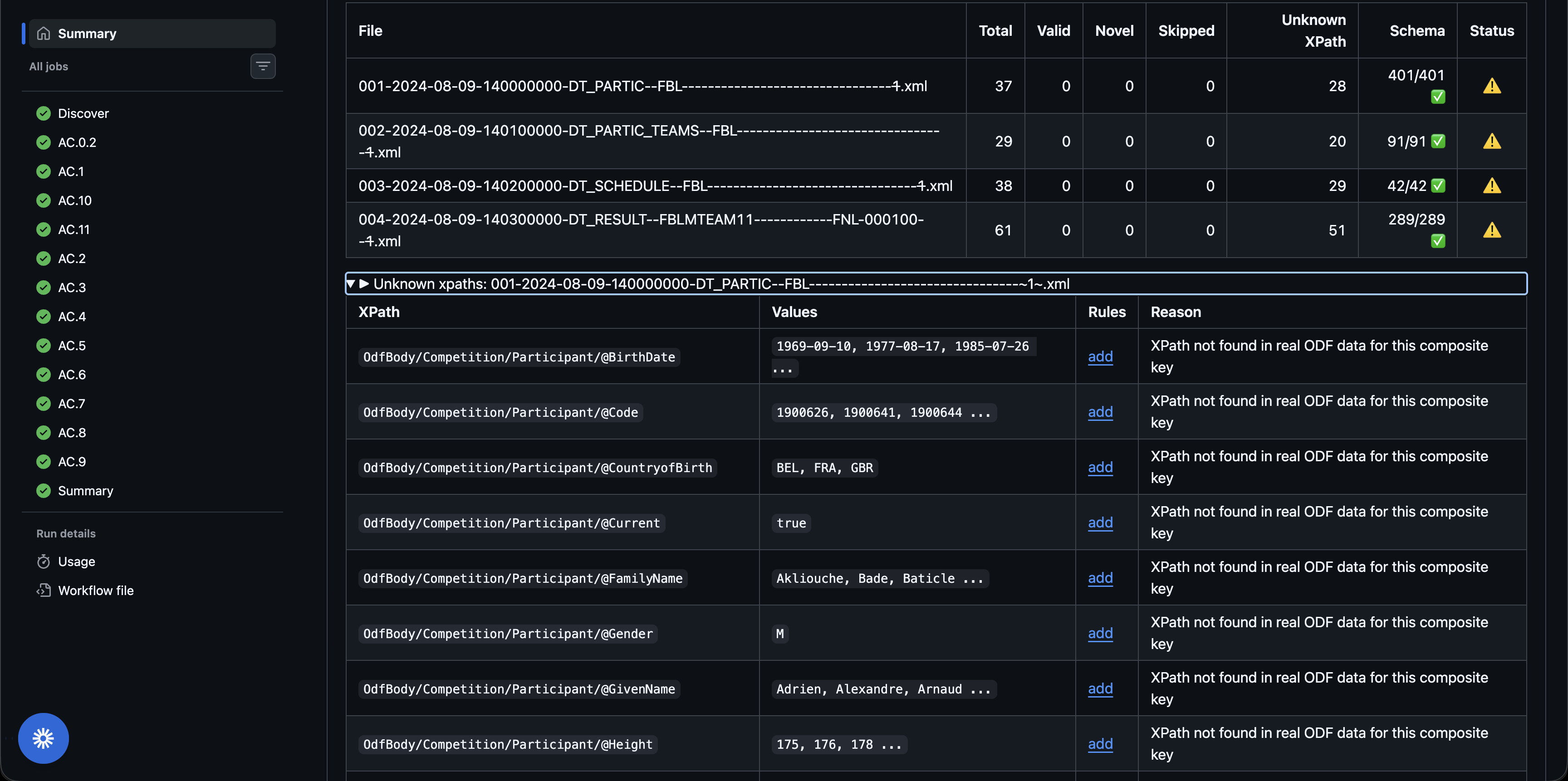
For each unknown XPath, the report tells you:
- The XPath pattern (e.g.
OdfBody/Competition/Participant/@BirthDate) - Sample Values seen in the data
- The Reason the validator flagged it (most common: XPath not found in real ODF data for this composite key)
Reviewer tip: "Unknown" does not always mean "wrong". It can mean the validator's reference set doesn't include this document type + discipline combination yet. Cross-check the XPath against the Data Dictionary before raising a blocking comment.
What's next
In the next lesson you'll open the files, add comments, submit your review, and approve the dataset once the bot has applied all fixes.